Boat leaving Stockholm

This is a picture I took a couple of years ago in Stockholm. From what I remember it was taken with my Nikon CoolPix P-7000, which I sold years ago. Today again, I am sometimes thinking about getting me a compact camera. I liked the CoolPix. It was rather small, easy to use, and could do RAW-format (which I guess many compacts can do today).

Ship leaving harbour

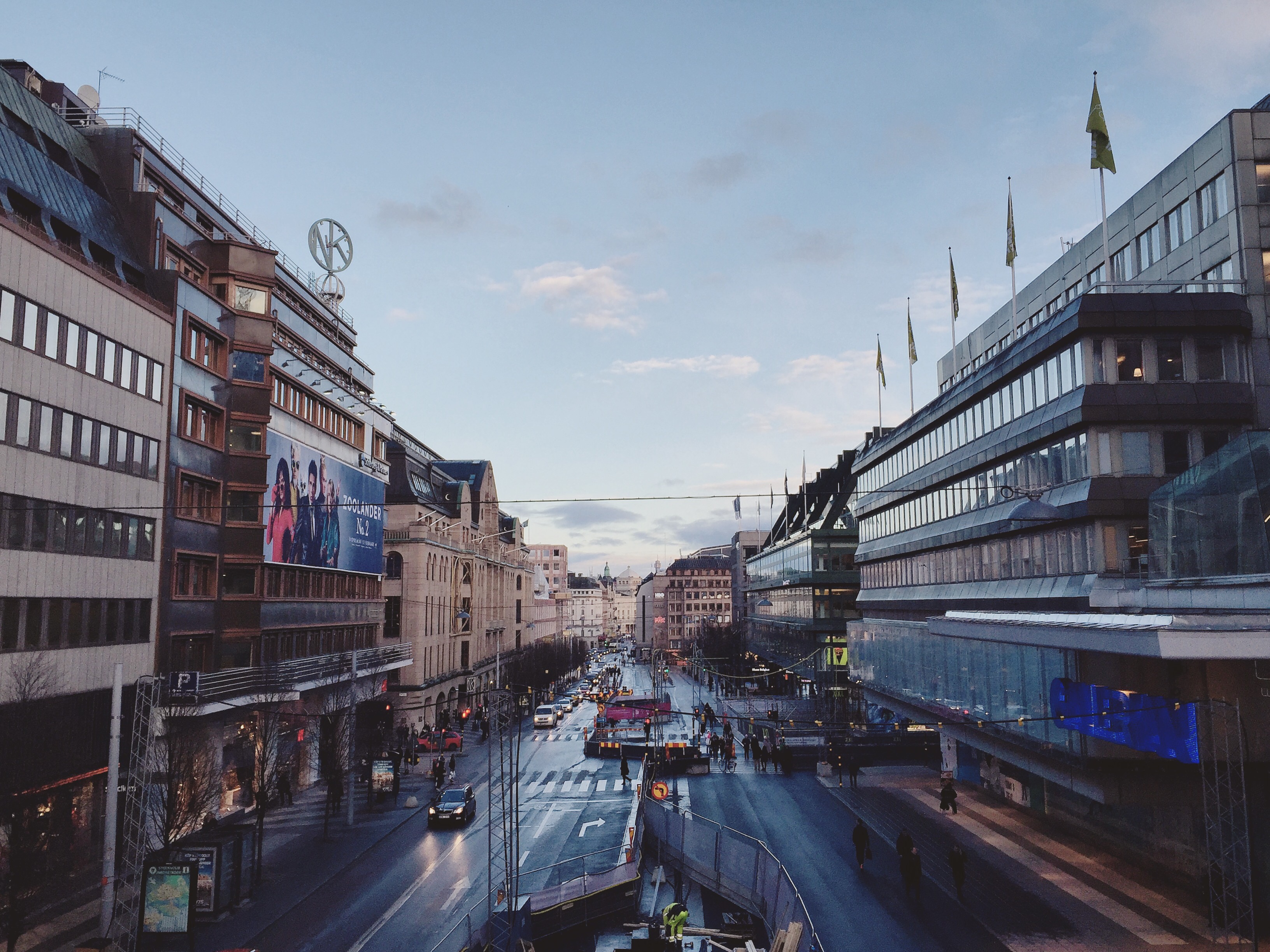
Hamngatan, Stockholm

 A couple of days ago at Hamngatan in Stockholm. It was late afternoon. The sun was about to set. I took out my phone and took this picture. Also edited on my phone with the Enlight App for iOS.

It had been a while since I have done any photography. The inspiration has been absent for a while. And still is. But that’s ok. It comes back when it does. No need to force it.


2015 Favorite Apps: Part 3 Enlight

Enlight

As a hobby photographer I often think about the possibility to do all editing and organization of my pictures on my iDevices. To be able to live without the MacBook and just have my iPad and iPhone. For me there is still not the right apps and power in those iDevices to make the switch completely. I am still dependent on Lightroom and Photoshop and their versions on OSX. There I can also use my beloved plugins from (previously) Nik Software (now owned by Google).

When it comes to organizing pictures I still haven’t come close to find anything. My picture library is kind of a mess. But when it comes to editing I think technology will soon be there. I know there is Lightroom for IOS. But that version is still far from the desktop version in my opinion. With the new powerful iPad Pro, I think it will not be long until we get an almost similar version of Lightroom on iOS as we have on OSX. The current Lightroom for iOS is for me a bit awkward to do my editing in. I feel a bit out of control when using it.

One app that I’ve been using for a long time now, and that I think takes a big step forward in editing photos on iOS, is Enlight from Lighttricks Ltd I find it easy to use, it has a clear workflow if you want to follow it, and some good editing tools. It is available for both iPhone and iPad.

img Enlight’s sidebar: collapsed to the left, and expanded image category to the right

It has a sidebar on the right with 8 editing categories. The order of the categories could be seen as a good workflow to follow. The first – Canvas – is all about cropping, rotating, skewing the picture. A good place to start if any of those operations is needed. It continues with the Image category where you can do editing like brightness, contrast, sharpness, shadows and highlights etc. You can start with one of the many presets provided, where you also can set the intensity of the preset. Pressing to tools button in the bottom of the screen reveals a number of tools to do a more detailed editing of the picture.

In the beginning I had a hard time finding the different tools, like brightness, sharpness and so on. But after a while I realized they are quite logically placed.

Of course you don’t have to use each category in the workflow when editing your picture. But I found myself often using the Image section’s adjust and clarity tools. Sometimes it’s enough to just use one of the presets for those tools. Other times I adjust the intensity of them or use more detailed editing by pressing the tools button. It gives me good options whether I need to just to some light editing or if I need to do some more heavy editing. Enlight’s interface makes it easy to work with the pictures in my opinion, and it feels like I am in control of what I am doing unlike many other apps I’ve tried.
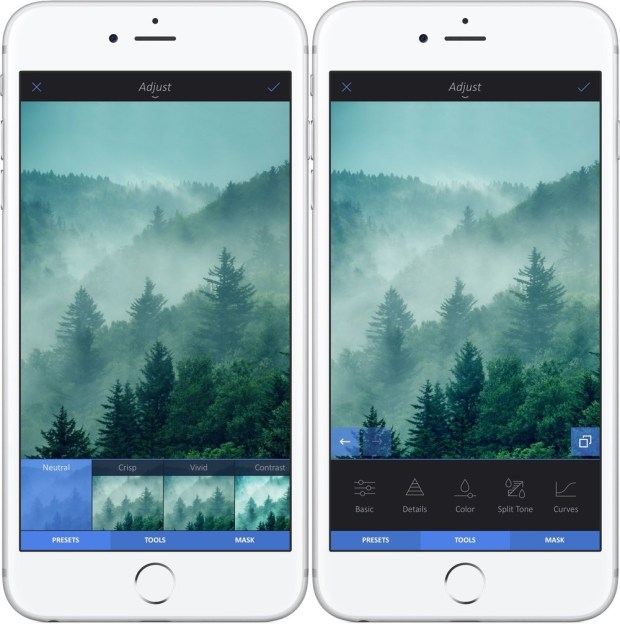
img-2 Examples of Enlight’s presets to the left. To the right some of the tools revealed after pressing the tools button.

One feature that I haven’t tried so much yet is the possibility to save you editing session and come back later to finish it. It can be found in the top toolbar of the app if pressing the share icon. The Share Toolbar also lets you share multiple photos at once.

The app has a built-in tour to get started quickly. And recently they also added a couple of tutorials for doing for example “Dramatic Portrait” and “Double Exposure”.

Enlight has a lot of tools in the app. More than I will cover in this post. But what I found is that, besides being easy to use and with a number of powerful tools, the editing gives a good quality and doesn’t “destroy” the image. Besides some very basic editing in iOS’s built in Picture App, this is the app I keep coming back to to do my editing. I’ve been using it for some time now, and it is one of my favorite apps of 2015

Get it from the App Store here:
Enlight av Lightricks Ltd.

Previous Post in this series:
2015 Favorite Apps: Part 1 Unread
2015 Favorite Apps: Part 2 1Password

There are no maybes

From an 1971 interview with Henri Cartier-Bresson

But as for me, I enjoy shooting a picture. Being present. It’s a way of saying, “Yes! Yes! Yes!” It’s like the last three words of Joyce’s “Ulysses,” which is one of the most tremendous works which have ever been written. It’s “Yes, yes, yes.” And photography is like that. It’s yes, yes, yes. And there are no maybes. All the maybes should go to the trash, because it’s an instant, it’s a moment, it’s there! And it’s respect of it and tremendous enjoyment to say, “Yes!” Even if it’s something you hate. Yes! It’s an affirmation.

Read the full interview at: http://lens.blogs.nytimes.com/2013/06/21/cartier-bresson-there-are-no-maybes/ 


Photowalk Norrköping

Yesterday there was a photo walk in the town of Norrköping in Sweden. It was a bunch of photographers from Google+ that once again gathered for some clicking. Earlier, almost the same gang has had photo walks in Nyköping and Stockholm. This time it was Norrköpings turn.

I have only been in Norrköping once before, a far as I can remember. Usually I have just been driving by the city on my way south in Sweden. And from a distance, it hasn’t really looked like much. But I was wrong.

Norrköping is a beautiful city, with a whole area of old houses surrounded with streams of water, bridges, and town squares. A lot of pictures was taken that day by all of us.

In this post I give you a picture of a bicycle that someone had thrown into the water.

Bicycle in water

Bicycle in water

A sample photo from the new lens

I’ve have had the lens I mentioned in the previous post for a bit more than a week now. Very pleased with it. It is small, light a good autofocus, sharpness and all. I am not yet so used with a 18 mm fixed lens though, with all that it brings in having to move around more to get what you want in the frame. But I think it is a good thing to be forced to train yourself to it.

Below is just a sample picture I took with the 18 mmm. It is taken with F2.0 and ISO 200.

A drink on the balcony

A drink on the balcony

Ordered a new lens

Yesterday I ordered a new lens to my Fujifilm X-E1. When I bought the camera it was together with the 18-55mm lens, which I am very pleased with. But now I wanted a smaller lens as a complement. So I ordered the Fujinon 18mm F2 R

I haven’t received it yet, but I am very excited to try it out when it arrives. Have been reading both good and bad reviews about it. But mostly good I believe.

It seems very small, and it goes up to F2. A bit more than the 18-55mm which goes to F2.8 at 18mm.

Fujinon 18mm F2 R

Fujinon 18mm F2 R

What to do in Copenhagen with a Camera?

I am planning to go on a photo trip soon. One of my stops will be a day in the beautiful and then hopefully warmer Copenhagen. 

There are two places that I would like to go to, which I believe I haven’t seen on previous trips. One is Rosenborg Castle, and the other Frederik’s Church (also called the Marble Church). Don’t know if they are open, or if I want to go inside. But I thought I might get some good photos on the architecture outside. We’ll see.

Any of you know of good photo opportunity places in Copenhagen (besides the little mermaid, and Nyhavn)?

On the move

Yesterday I had the opportunity to finish from work early. I had my camera with me, so I went downtown to stroll around and get some pictures. Last couple of times I’ve been out, it feels I have gone to basically the same places. So now I wanted to try to go somewhere I hadn’t been so much before.

I decided as usual on my way downtown where to go. Kungsträdgården became the subway station where I hopped off. And then walked out on Skeppsholmen, and Kastellholmen. It was a really beautiful afternoon, though it was cold and windy. A lot of shots were taken. You’ll see some of them here in the days to come.

The picture in this post was taken at the subway station where I started my trip downtown. It is inside the Stadshagen station.

On the move in Stadshagen station

On the move in Stadshagen station